Website design not only impacts your audience’s experience–it also impacts your search engine optimization. SEO and web design go hand in hand. No matter how gorgeous a website design is, if it lacks optimization, it’ll hurt your SEO. Meanwhile, proper optimization can help you bring in more traffic and conversions.
In this article, the SEO and website design experts at Forge Apollo in Philadelphia break down everything you need to know about SEO-friendly website design in 2025.
Does Web Design Affect SEO?
Website design does affect SEO. Ultimately, search engines (like Google) want to provide users with the best content for their query. To do so, they use various aspects of your website’s design to gauge its quality and relevance.
A positive user experience is the number one priority. Not only should you want users to have a good experience on your website, but search engines do, too. So, they evaluate technical factors, like loading speed, and engagement metrics, like click rates, to figure out if users enjoy your content.
Additionally, the technical setup of your website controls search engines’ ability to understand your website. Search engines don’t see websites like people. They send “crawlers,” or bots, to crawl through the code on your website. So, brands should develop their websites to optimize for crawler access and understanding.
The Importance of SEO-Friendly Web Design
Abby Roy, our SEO expert here at Forge Apollo, offers her advice regarding accessible website design:
“The goal of both SEO and accessibility is to make sure that all readers can access quality information on your website. To understand that information, search engines and assistive technology both need to be able to read your content.”
A website that lacks an SEO-friendly design won’t rank well in search engine results because crawlers may struggle to read it. If your website doesn’t appear in SERPs (Search Engine Results Pages), that severely limits your visibility online. Ultimately, unoptimized web design prevents you from acquiring new customers and securing leads. As a business owner, you should spend your money on an accessible, SEO-friendly website that provides value to search engines and users.

The Basics of an SEO-Optimized Website Design
Don’t worry, you won’t need training in website development to understand these tips. Here are some high-level actions you can take to make sure your website design is SEO-optimized. There’s a lot more that goes into it, but here are some high-level things to start with.
1. Optimize for Mobile
Improve usability by implementing responsive design for your website. The majority of web browsing (over 60%) takes place on a mobile device. Additionally, Google prioritizes mobile design by crawling the mobile side of a website first. These are two of the best reasons for making your website mobile-friendly. Optimizing your website for all devices ensures that readers (both human and search engine) can access all page elements no matter what device they’re using.
2. Have a Fast Loading Time
When a user visits a website and it takes too long to load, it typically results in the user clicking back and visiting a different website instead. Search engines understand this frustration which is why website speed is one of the top criteria taken into consideration for organic rankings.
If you’re not sure how fast your website loads, check your website speed using Google’s PageSpeed Insights tool. If your website rates below 70 on desktop and/or mobile, it’s a clear sign that your website needs help.
At Forge Apollo, we develop websites with speed in mind first. Not only do we use best practices for website speed, but we will continually make adjustments to improve performance as part of an ongoing website maintenance retainer.
3. Use Header Tags
Header tags (H1, H2, H3, etc.) label your headings to help readers and crawlers understand the structure of your content. The title of your page should always be an H1, and subheadings should follow sequentially. For example, the major sections of a page should each be an H2, and smaller points within those sections should be H3. In addition to providing structure, headings also make it easier for readers to scan your content and get the main points.
4. Make Content Easy to Find
As the hub of your marketing efforts, a business website should be easy to read and navigate. Website content needs to be “scannable,” both by search engine crawlers and human eyes.
Crawlers use specific criteria to interpret and rank these pages. In terms of human experience, however, skimming is in our nature. Therefore, readers must be able to quickly and easily locate their answers since the average user only reads about 20% of the text on a page. Accessibility considerations and features also help readers who are hard of hearing or visually impaired interpret imagery or read copy. Text color, background colors, typeface, and size all play a role in accessibility.
Above all, your business website should be simple to understand. Organize its layout so users can effortlessly locate contact forms and critical information throughout the page. Endless home pages, vast chunks of unnecessary text, and general page clutter discourages the reader, causing them to bounce.
5. Organize Your Pages
A website’s structure includes file organization as well as URL organization. For example, it’s best practice to publish all blogs after a page titled “blog.” The URL structure may look like “website.com/blog/blog-title” for an optimized page.
The same concept applies to the organization of pages on your website. A well-organized website means a better user experience.
6. Use Alt Tags
Alt (alternative) text is important for both search engine crawlers and user accessibility. Alt text describes an image and explains its relevance to a page. This is important for those who can’t physically see the images and may be using a screen reader. It also allows search engine crawlers to better “see” your images.
7. Pair Design With Technical SEO
We’ve highlighted the parts of SEO that affect website design here, but there’s a lot more to it. Here are some other elements to keep in mind while optimizing your website:
- Keyword usage
- Schema markup/Structured data
- Internal and external linking
- Sitemaps and robots.txt files
- Meta titles and meta descriptions
SEO and website design experts, like those at Forge Apollo, can easily help you create a website following both design and SEO best practices.
Common SEO Web Design Mistakes to Avoid
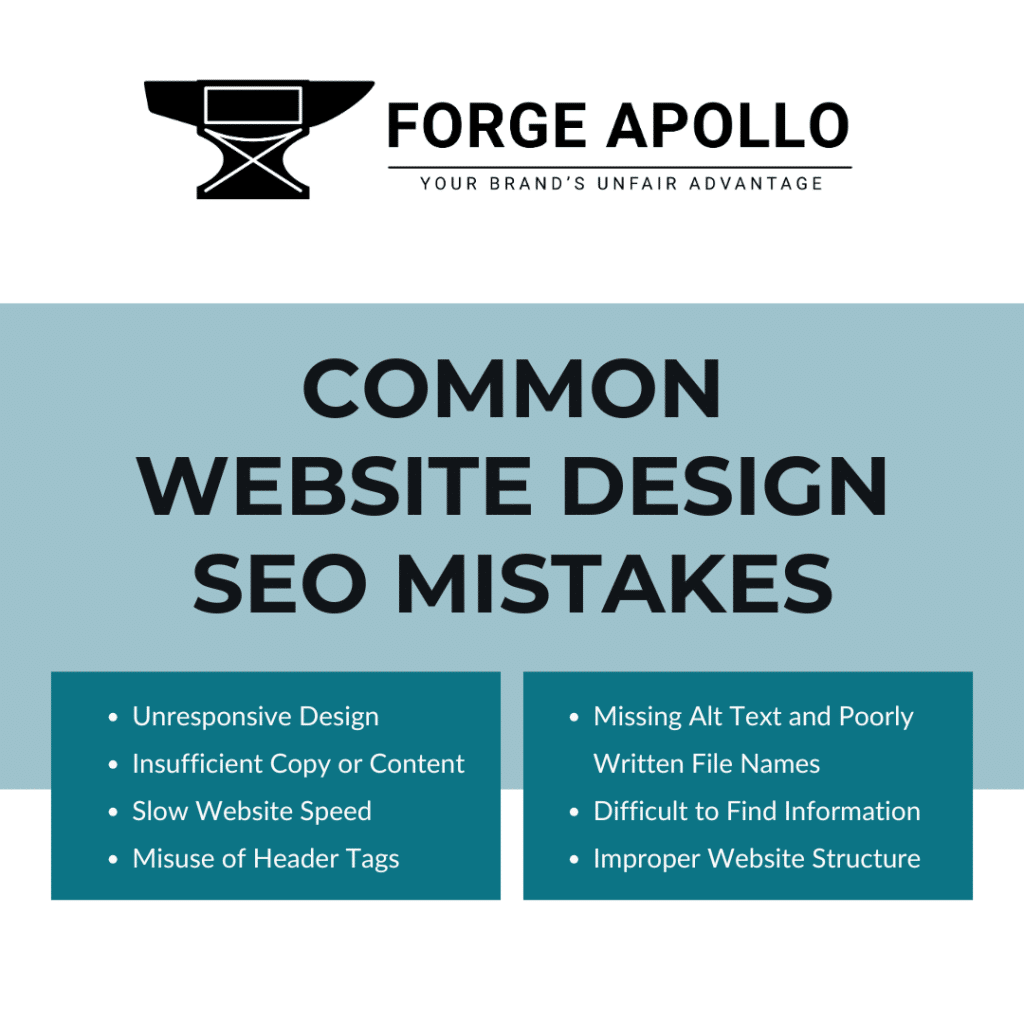
Is your website not ranking well? Have you noticed a drop in organic traffic? Is your bounce rate off the charts? If so, it’s likely your website contains SEO web design mistakes. These mistakes can cost you potential customers and make your website invisible to search engines. Our Philadelphia website designers can help you avoid these common mistakes with an SEO website design.
1. Unresponsive Design
As we mentioned before, mobile design is king when it comes to users and search engines. Ignoring your mobile design is a major SEO mistake in the modern age.
2. Insufficient Copy or Content
Your website isn’t a billboard nor a novel. Web pages need just the right amount of copy and imagery to provide value. Lack of content leaves questions unanswered, while too much content confuses and loses the reader. Viewers are more likely to bounce when excessive content causes infinite scrolling. The page should be informational while cutting straight to the point. Use your words, but use them wisely – and be sure to supplement them with high-quality imagery and video.
3. Slow Website Speed
Slow website speed is usually a result of many factors:
- Large image and video files
- Too many plugins (including page builders)
- Slow hosting servers
- Unnecessary code
- Poorly written code
- And much more
4. Misuse of Header Tags
Instead of actually tagging headings as headings within the code, we’ve seen users try to make text appear as a heading with simple formatting. There is a difference between text being bold and a larger size versus having a proper heading tag.
5. Missing Alt Text and Poorly Written File Names
Poorly written or missing alt text and file names is a common SEO web design mistake. Proper alt text and file names are simple parts of on-page SEO that website designers often overlook.
For best results, use targeted keywords in the media alt text, caption, and tags to help increase keyword relevancy and improve ranking.
Another common mistake is not changing file names before uploading the files to a website. When users click on the files, it’s alarming to see something named “finalFINALedit12345.jpg”. It also hurts SEO rankings. For best practice, rename file names with relevant keywords before uploading them to your website.
6. Difficult to Find Information
Optimizing your website means viewers can easily navigate its content. When the menu has too many items, users have difficulty finding the answers they seek. If they don’t see what they’re looking for immediately, they’ll promptly move on to a competitor’s website. Plus, a crowded navigation bar makes your page appear unpleasantly cluttered.
7. Improper Website Structure
We see a lot of websites where every page is “top level,” meaning that the urls would look like “example.com/this-service” and “example.com/that-service/” instead of “example.com/services/this,” or “example.com/services/that.”
Contact Forge Apollo for SEO Web Design in Philadelphia
If you want to ensure your website stays at the top of search results, start by investing in an SEO-friendly website design from Forge Apollo. After developing a website following the best SEO practices, our digital team can develop an ongoing strategy to help you increase in rankings, including regular updates, a blogging strategy, website maintenance, and in-depth market research.
Our website design options include template designs or a custom design. Contact us today if you’re ready to help your website shoot to the top of search results with an SEO-friendly website design.